Full-page capture
One click captures the whole scrolling page and stitches it into a single sharp image — handling sticky headers and fixed footers so they never repeat or block content.
Tallshot captures clean, full-length screenshots of any web page — or just the part you pick — then lets you crop, annotate, blur, and export in a built-in editor. No account, no uploads: everything runs on your device.
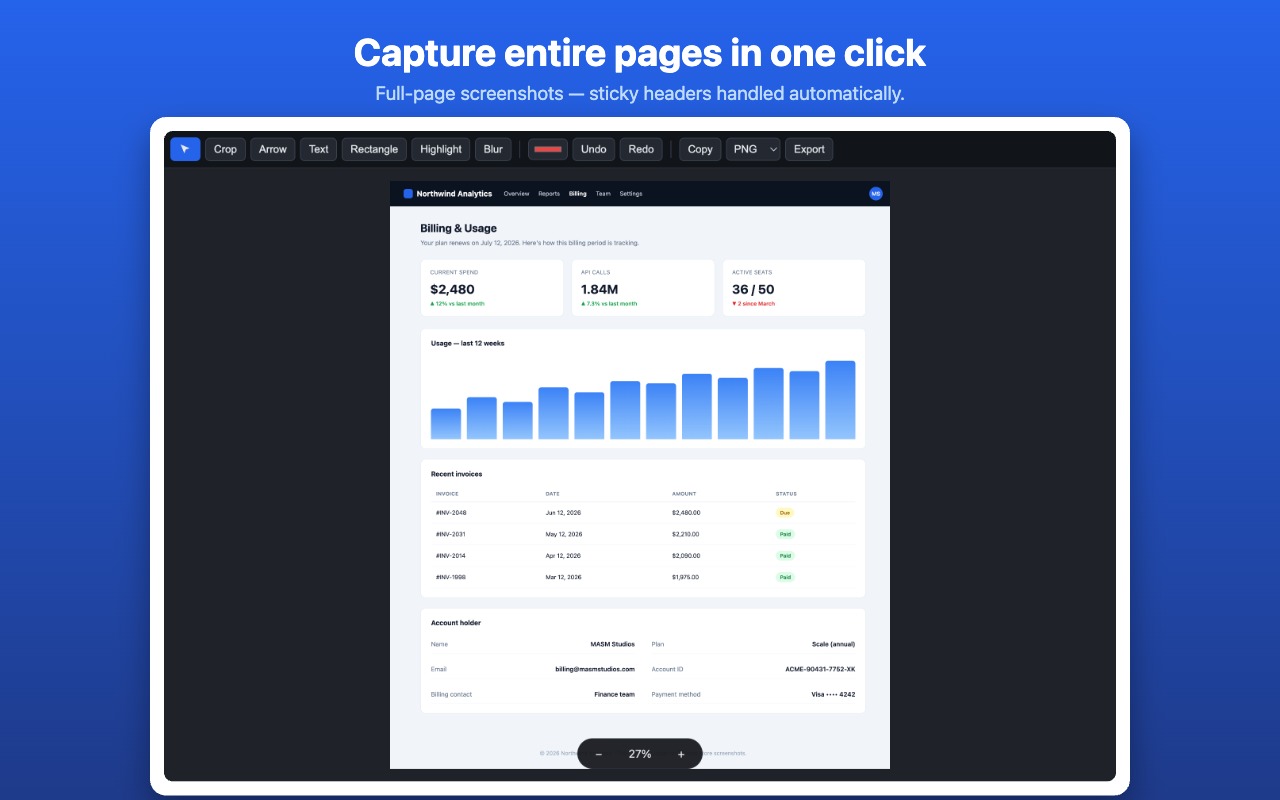
Built-in browser screenshots stop at the visible window. Tallshot captures the entire page — and gives you an editor to finish the job before you share.
One click captures the whole scrolling page and stitches it into a single sharp image — handling sticky headers and fixed footers so they never repeat or block content.
Right-click and pick a single panel, card, or chat feed. Tallshot even captures elements that scroll both ways — like wide data tables — stitching them in two dimensions.
Crop, draw arrows and boxes, add text, and highlight what matters — with zoom, fit-to-page, and full undo/redo. No round-trip to another app.
Hide emails, account IDs, names, or anything private with the blur tool before you share a screenshot — baked permanently into the exported image.
Save as PNG, JPEG, WebP, or PDF — or copy straight to your clipboard to paste into chat, docs, or email. Very tall pages are scaled smartly so they never come out blank.
No account, no servers, no analytics. Every capture and edit happens locally in your browser, and nothing ever leaves your device.
Free, private, and ready in seconds. Questions first? We're one email away.